

Your first raid can feel overwhelming before you even enter. You may have watched a guide, only to find yourself scrambling to check presets and Battle Items at the last minute. This checklist takes you from finding a group to reviewing your first learning session.
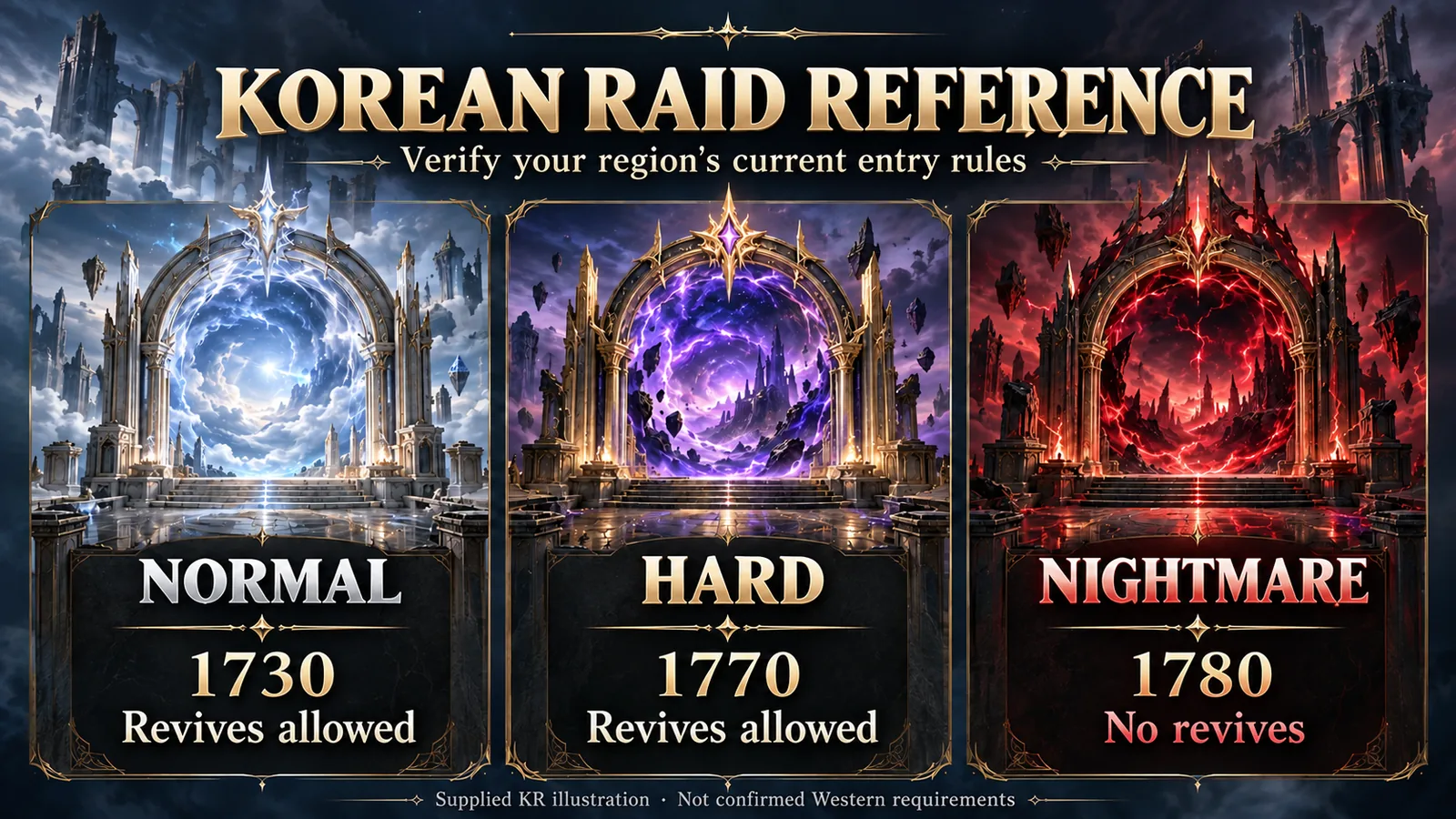
This is a general preparation guide, not a walkthrough for a particular boss. Check the in-game entry screen and a guide for your chosen raid, difficulty, and gate. The illustrations have translated editorial labels; any raid-specific figures shown in them refer to the Korean source and are not confirmed Western entry requirements.
1. Match the difficulty and the group's goals
Choose the raid, difficulty, and starting gate first. Check your item level and eligibility on the in-game entry screen, then read the Party Finder listing. Being able to enter does not automatically mean you meet every group's recruitment requirements.
For a first attempt, look for a learning party that welcomes complete beginners. A fresh learning group and a progression group practicing a later mechanic can have very different goals. Briefly explain your experience and how long you can stay when you apply, so expectations are clear.
2. Take notes on your own responsibilities
Instead of trying to memorize every scene in a guide, write down what you personally need to do. For group mechanics, connect the cue, your position, and your assigned action so they are easier to recall in the fight.
- The cue: Which boss animation or visual change tells you to get ready?
- Your position: Where should you move, and who should move with you?
- Your action: Which skill or item should you use, and when?
- What went wrong: What should you avoid or change on the next pull?
Position assignments and strategies vary between groups. Check whether your party uses the method you watched, and ask specific questions about anything unclear. “Which position should I take for this mechanic?” is much easier to answer than a vague request for help.
3. Check that Battle Items are equipped, not just in your inventory
Battle Items need to be equipped in their dedicated quick slots before you can use them; having them in your inventory is not enough. Items in the same category cannot be equipped together, and some content limits where you can swap them or how many you can use. Before joining a group, read the tooltips and equip both your healing items and the items required for your assigned mechanics. Check the hotkeys as well, so you are not searching for a slot during combat.
Choose your loadout based on the gate guide and your party's assignments. Before entering, confirm the correct slots, sufficient quantities, and familiar hotkeys. Check the loadout again when moving to another gate.
4. Review your presets and practice your controls
Check the gear, skills, cards, gems, and other combat settings you intend to use. If you have just come from another activity, make sure the intended preset is active. Doing this before opening Party Finder gives you more time than checking at the entrance.
If the controls still feel unfamiliar, practice your skill sequence in Trixion's Training Room. Characters who have learned the Song of Trixion can travel there and speak to Beatrice to enter. Use the skills you plan to take into the raid: learn their hotkeys, perform a sequence, move, and resume attacking. Training Room combat settings revert when you leave, so check your actual gear, skills, cards, gems, and preset again afterward.
A small practice goal is enough. Learn where your frequently used skills are and repeat the transition from moving back into attacking. Your first objective in a real fight is to stop losing sight of the boss while looking for an attack button.
5. Change one thing at a time between pulls
After a wipe, choose one action to change on the next pull. If you moved too late, review the cue. If you mixed up a mechanic sequence, write your assigned order in chat. When the cause is unclear, compare what happened with your teammates rather than treating a guess as the answer.
Focusing only on the clear can hide the progress you make while learning. Set observable goals, such as surviving to a particular mechanic or consistently completing your assignment. That makes the next practice target much clearer.
Your final pre-entry checklist
- Have you checked the raid, difficulty, gate, and entry requirements?
- Do the party's experience requirements and goals match yours?
- Do you know your position, mechanic assignment, and item-use order?
- Are the required Battle Items equipped in their dedicated slots?
- Have you checked the preset and skill setup you will actually use?
- Have you shared how long you can stay and when you need to stop?
After the session, leave yourself a line or two about the mechanics that caused trouble and what to change next time. Start with those notes before your next attempt.