

To get Witches Brew-nado in Roblox's The Hollow, go to Floor 2 of the hub, solve the pillar puzzle, use the lever to collect the relic, and return to the elevator. That final return matters just as much as lighting the pillars. Separating the moment you solve the puzzle from the moment you receive the reward makes it much easier to identify a missed step.
The useful skill here is reading how the pillars change, rather than memorizing a click sequence. A turn can move other pillars too, so trying to fix only the one in front of you can disturb parts you already activated. Think of the quest in three stages: finding the room, recognizing the signals after each turn, and carrying the relic back out.
What kind of reward is Witches Brew-nado?
The accessory's name is Witches Brew-nado. It is a back accessory for your Roblox avatar, with swirling green wind and floating little cans and stars. The name might sound like an attack spell, but its item category is an accessory for customizing your avatar.
Your destination is The Hollow, created by Roblox Presents. The objective is the Floor 2 mission inside the event hub. Seeing Dandy's World characters and scenery does not mean you need to launch the separate Dandy's World experience first. Confusing the starting location could send you into an unrelated quest.
This is also different from clicking a purchase button on Marketplace. Approach it as a reward for the event mission to retrieve a relic on Floor 2. You do not need to subscribe to Roblox Plus first for this reward. Plus early access to the event and the mission's reward requirements are separate matters.
Use the exact English name when searching for the item or checking whether you own it. If you are following guides in another language, keeping Witches Brew-nado alongside the translated name will help. The badge uses the same name, so check whether a search result is a badge page or the page for the actual wearable item.
Distinguish the elevator's Floor 2 from the puzzle room's upper level
Enter the hub building, head to the elevator inside, and choose Second Floor or Floor 2. From there, you need to find the Dandy's World-themed puzzle room. Twisted Dandy is a threat in the corridors, so remember your return route as well as your destination.
You can begin by checking the passage on the right after leaving the elevator. Rather than treating a fixed number of right turns as a universal route, focus on finding the themed interior off the corridor. If the layout does not match the directions, look for the room's features instead of blindly repeating the same turns.
The target room has lockers, furniture resembling a playroom, and an indoor staircase. Do not stop at the entrance: go upstairs. The purple floor and glowing pillars above are useful landmarks for recognizing the puzzle area. Their appearance differs noticeably from the dark corridors, helping you identify the destination.
The guide describes two different levels that are easy to confuse: Floor 2 selected in the hub elevator, and then the upper level of the puzzle room found on that floor. Not seeing pillars immediately after the elevator does not mean you went to the wrong floor. You still need to find the room and climb its stairs.
Remember landmarks rather than only left and right turns—for example, passing a broad area with railings before entering the themed room. On the way out, you will be facing the opposite direction, so remembering only the right turns from the way in makes you recalculate the route. Notice the room entrance and the area around the elevator to give yourself more clues for the return.
Work through the six pillars one turn at a time, watching the changes
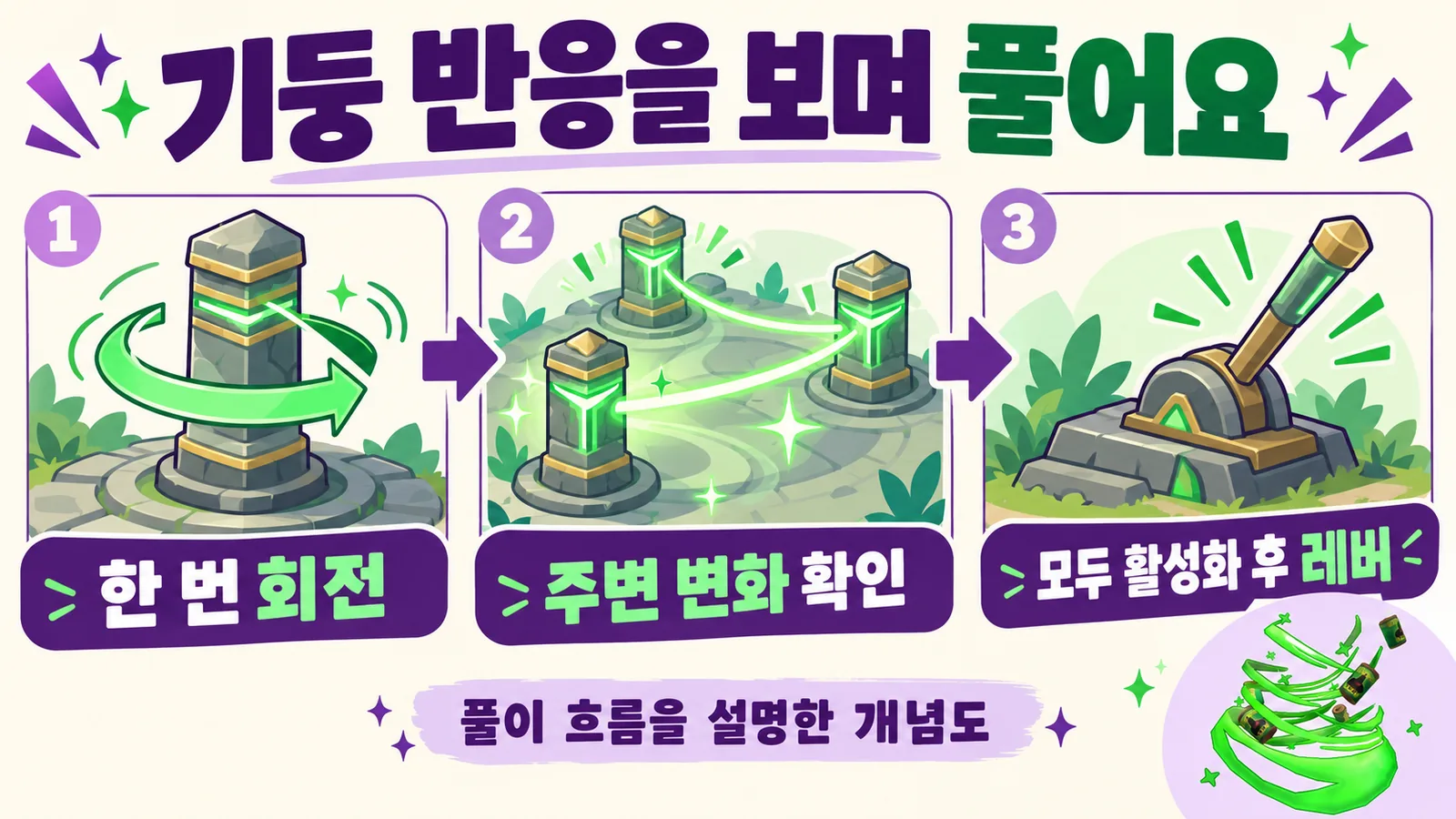
The goal is to activate all six pillars. Approaching a pillar brings up the Rotate interaction, with an E key prompt visible on PC. On mobile, use the interaction button displayed on your screen rather than trying to follow a keyboard instruction literally.
Rotating a pillar changes which symbol faces you and the state of its light. Activated pillars show a bright effect and an energy connection extending toward the floor. After each action, look beyond the pillar you touched: check how nearby pillars and connected light paths have changed too.
What makes this puzzle tricky is that a turn does not affect only one pillar. For example, if you try to light a dark pillar and a glowing section beside it goes dark, that is evidence your action affected the surroundings. Immediately pressing several more pillars makes it easy to lose track of which input caused which change.
A useful approach is simple: rotate one pillar once, then identify every pillar that changed with it. Use that relationship to choose your next move. Pausing to observe takes time, but it gives you a reason for the next choice instead of continuing to rotate without knowing what is happening. This is a method for reading the current state, not a fixed answer sequence.
Avoid memorizing one symbol as a universal solution. Published guides mention different symbols, including cats and bats, and a fixed symbol or click order that works in every situation is difficult to establish. Prioritize the room's instructions and the activation effects you actually see. What matters is whether every pillar is active and the next stage is available, not whether you remembered a particular picture.
Do not head straight for the lever just because some pillars have lit up. Look around the whole room and check for any that remain inactive. From a single angle, a nearer pillar can hide another part of the puzzle, so make a habit of turning your view to inspect the full state.
After pulling the lever, carry the relic back
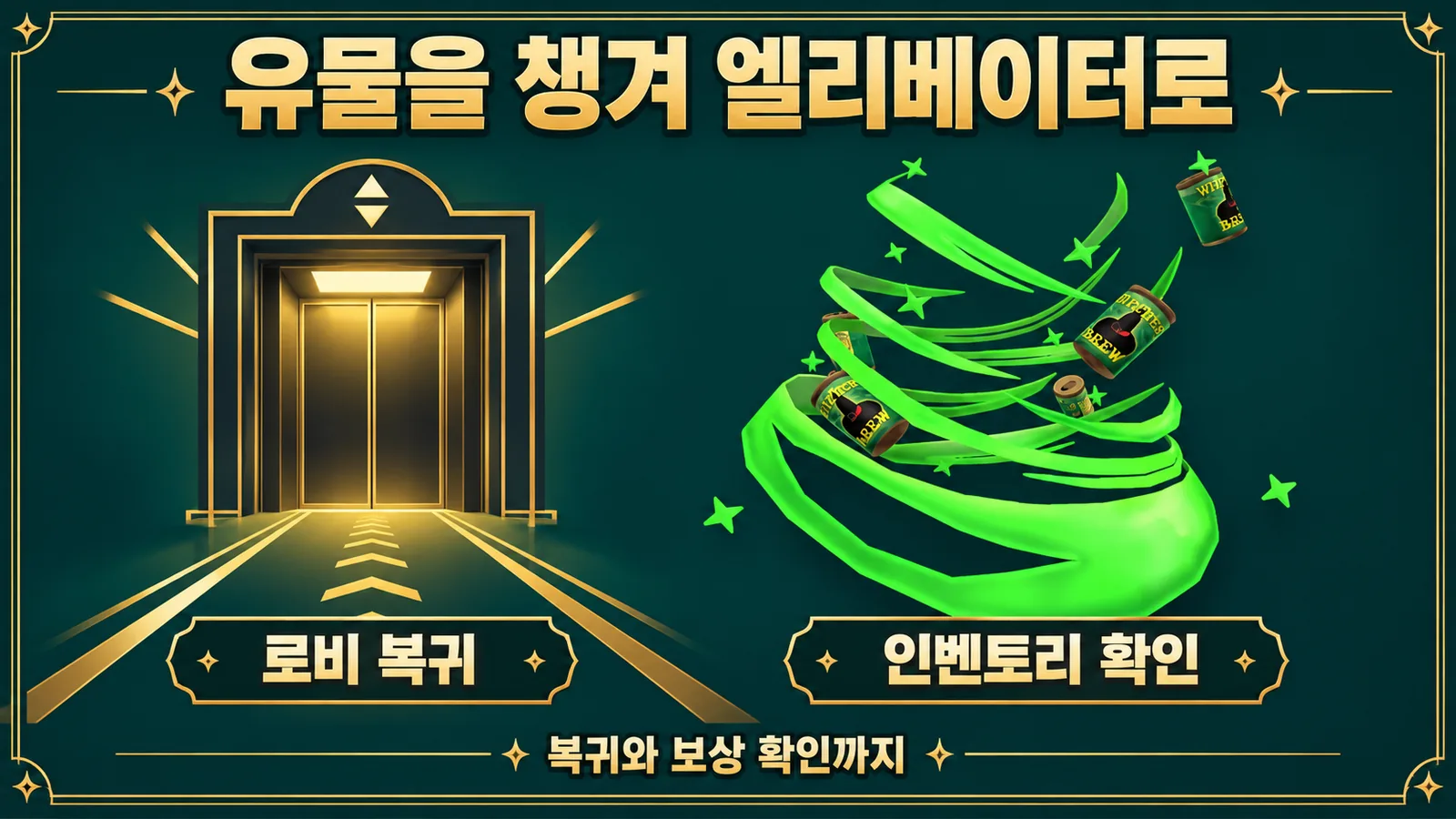
Once every pillar is activated, go to the lever in the puzzle area. Use the Pull interaction and collect the relic. At this point, you have solved the puzzle and secured the object you need to retrieve. Confirm that you have the relic, then return to the elevator.
Focus on retracing your route to the lobby. Finishing the puzzle does not mean the corridors are suddenly safe. Watch for Twisted Dandy as you move, and if this accessory is your goal, there is little reason to explore additional rooms during the return trip. Completing one objective before looking for another reward also makes your progress easier to track.
In particular, avoid leaving the game immediately after pulling the lever or assuming that holding the relic means the mission is finished. The last part of the acquisition route is returning to the elevator. It is easy to focus only on the puzzle solution, but leaving out that final journey leaves out part of the reward process.
Back in the lobby, check both the badge notification and whether you own the item. They serve different purposes: the badge helps you check mission completion, while the wearable itself belongs in your avatar inventory. Look under back accessories or search for Witches Brew-nado.
If an item you own is not visible on your avatar, check whether it is equipped. Owning something and wearing it are not the same thing. Conversely, if you can see only the badge and not the accessory, do not assume this is an equipment issue; first establish whether the item is actually in your inventory.
If the puzzle or reward seems stuck, identify the last completed step
When something goes wrong, check the last stage you confirmed instead of immediately starting everything again. Not finding the puzzle, having some inactive pillars, and holding the relic without returning are different situations with different next steps.
| Where you are stuck | What to check first |
|---|---|
| I left the elevator but cannot see the pillars. | Find the Dandy's World-themed room and go up its internal staircase. |
| Solving one pillar changes another. | After each turn, check which other pillars move and how their lights change. |
| Pulling the lever does not advance the quest. | Check that all pillars are activated and the Pull interaction actually completed. |
| I have the relic but cannot see the reward. | First check whether you returned to the lobby through the elevator. |
| I can see the badge but not the accessory. | Check the items you own in your avatar inventory separately. |
If you completed the entire sequence but cannot find the item, you can reopen the screen or rejoin to check ownership again. However, do not treat rejoining as a guaranteed fix. There is no confirmed official guidance that it resolves the problem for every account. Distinguishing the completion notification from the inventory state is more useful before repeating the run.
Keep The Hollow's reward collection deadline in mind
According to the official announcement, reward collection remains open until noon Pacific Standard Time on November 2, 2026, equivalent to 20:00 UTC on November 2 and 05:00 KST on November 3. The October 31 live finale and the reward collection deadline are different milestones, so do not treat every event date as the same cutoff.
That deadline is the event-wide reward collection window. It does not guarantee that an individual mission cannot change before then, so check the notices shown when you join as well. Starting just before the cutoff leaves less time to find the route or confirm ownership. If you have chosen your target item, finish by checking that you actually received it.
The most useful standard in this Witches Brew-nado guide is not the feeling that you solved the puzzle, but whether you have a clear signal that confirms your progress. Check activation effects at the pillars, confirm the relic after the lever, and check your inventory after returning. That makes it easier to decide what to do next than blindly following a memorized sequence.
Event schedule: Official Roblox announcement. Start in The Hollow by Roblox Presents. Korean text embedded in the original images is unchanged.