

Korean settings guide adapted for English clients · About these guides
Make Damage Numbers Easier to Read
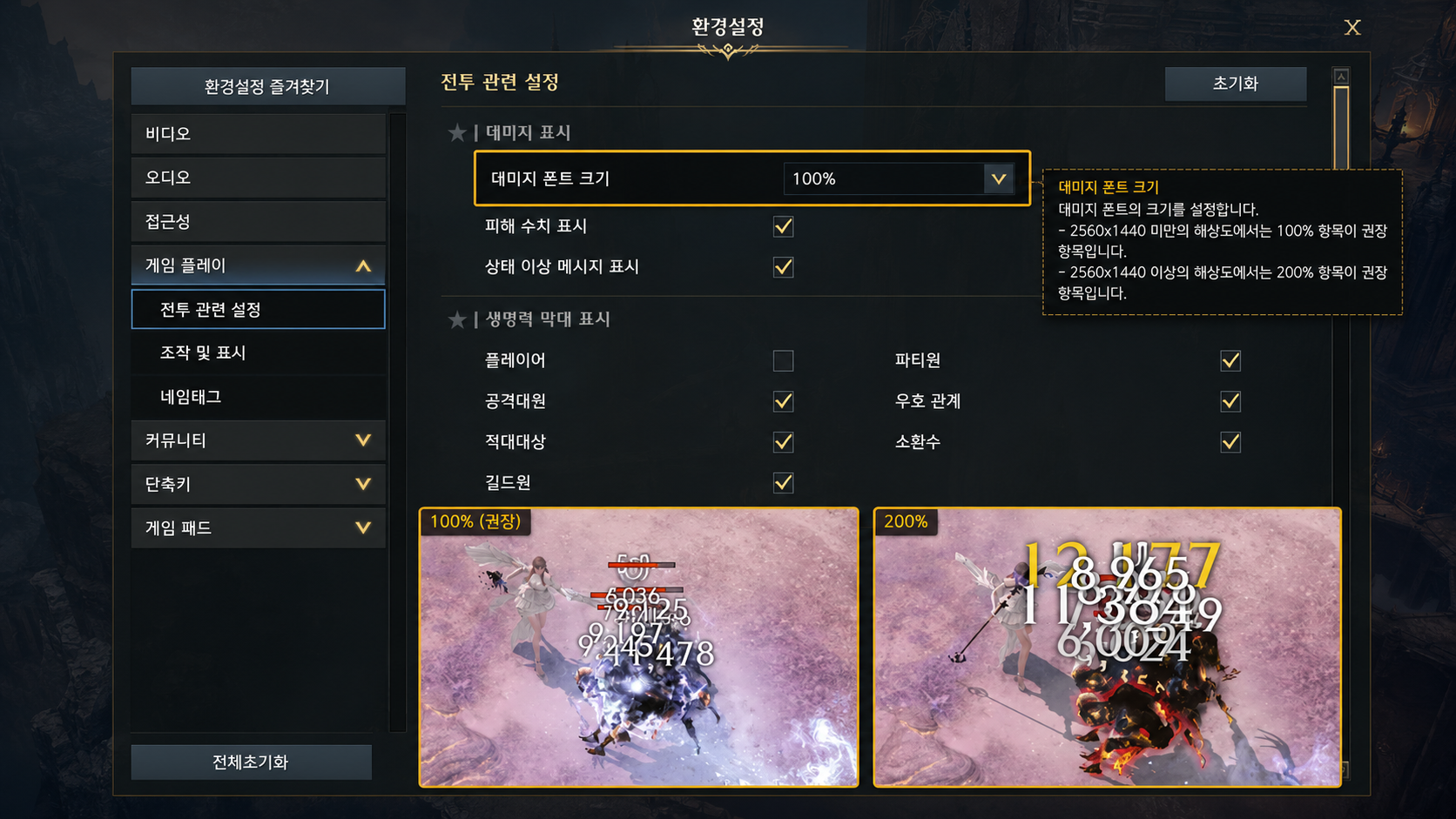
Large numbers and repeated hits can obscure useful information. Try the available display options in a familiar encounter and keep the layout that helps you read mechanics. The source’s “200% more skill” headline is not a measured result.
-
Compact Damage Numbers: Enable abbreviated display if you prefer it. An English client may format 170,000,000 as a million-based abbreviation rather than the Korean hundred-million unit shown in the source. Check the actual display.
-
Combined Damage Display: Combining applicable multi-hit values can reduce clutter. Compare it with individual hits if you use those to check skill behavior.
-
Font Size: The source suggests 200%, but the best size depends on display scale and vision needs. Increase it only while boss tells remain clear.
Prioritize the Buffs You Actually Track
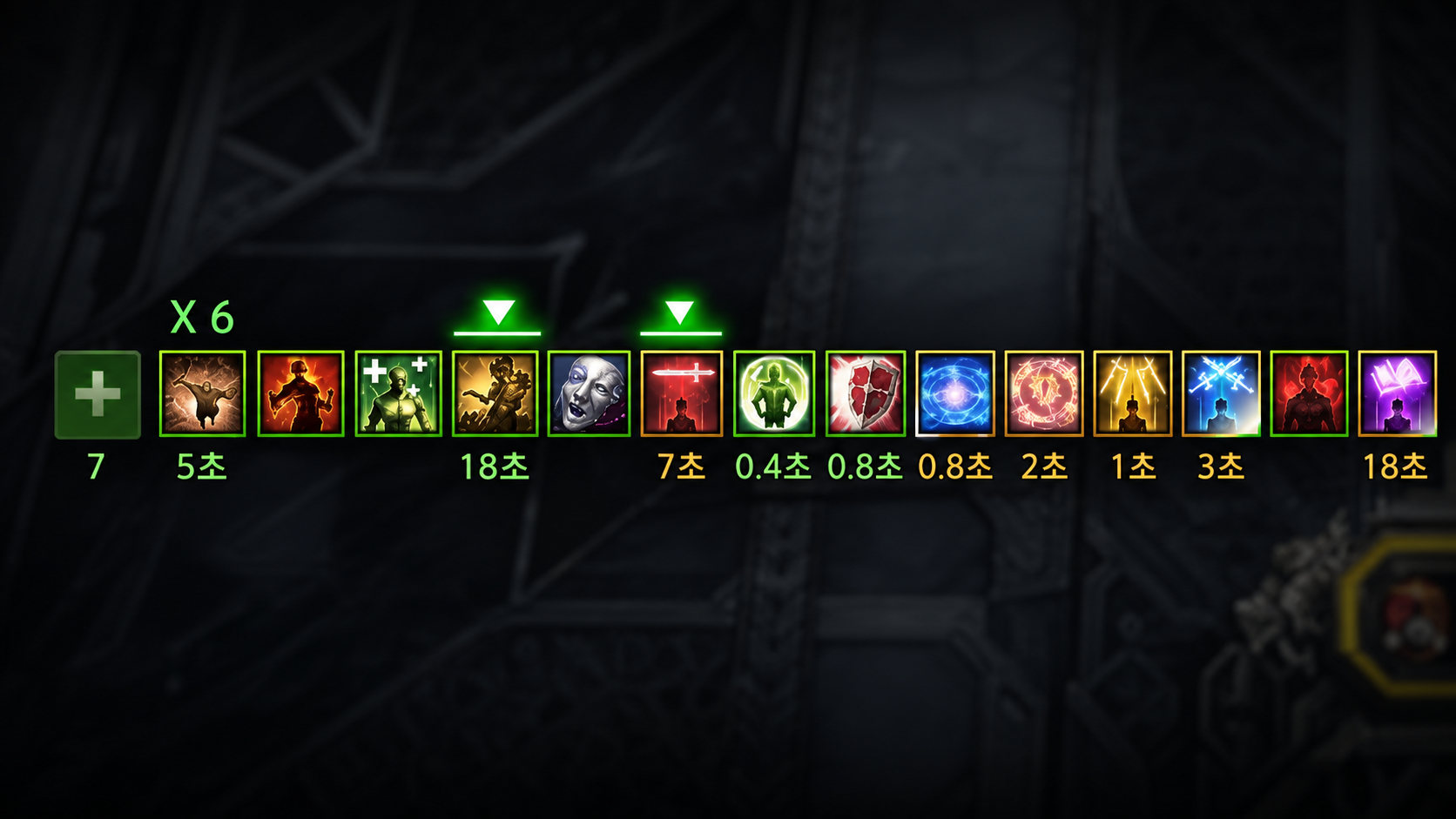
Put actionable effects first. Identity and Ark Grid buffs can determine a rotation, so copying a universal list may hide the information your class needs most.
An Example to Adapt
Priority Effect Category Very High Relevant support burst buffs and battle-item effects. High Class skills, identity state, and defining passives. Normal Other Ark Grid or Ark Passive effects, raising priority when the rotation depends on them. Lower Passive engraving effects that need little active tracking. Very Low Persistent food effects; do not automatically place your important identity buff here. Hide Only If Unneeded Non-actionable pet or bracelet effects. Keep relevant temporary procs visible.Reduce Clutter and Unwanted Inputs
Choose settings that preserve boss tells and beneficial party information without changing controls blindly.
-
Skill Direction Assistance: Try disabling directional assistance if it redirects attacks away from your intended aim. It can still help some players or input setups; test the result rather than treating Off as universally correct.
-
Automatic Cutscene Skipping: Enable it for familiar content if you prefer, while checking what the current option actually skips and whether group conditions still apply.
-
Pets and Visual Effects: Hide pets if they obscure the fight. Keep relevant service-expiry notices if you use pet storage or repair; displaying the notice does not itself prevent the service from expiring.
-
Party Effects: Use the option that preserves beneficial party effects where available. Confirm support ground buffs and other mechanic information remain visible after reducing attack effects.
Nameplates and Health Bars
Differentiate yourself, your party, and the wider raid so you can respond to the players your skills can actually help.
-
Health-Bar Display: Start with your own and party health bars, then decide whether wider raid, friendly, or summon bars provide useful information for your role and encounter.
-
Why It Helps: A clearer layout can help locate your character and intended teammates. Some skills or mechanics affect a wider group, so hiding every non-party bar is not always the best choice.
Review Auto-Dismantle Before Enabling It
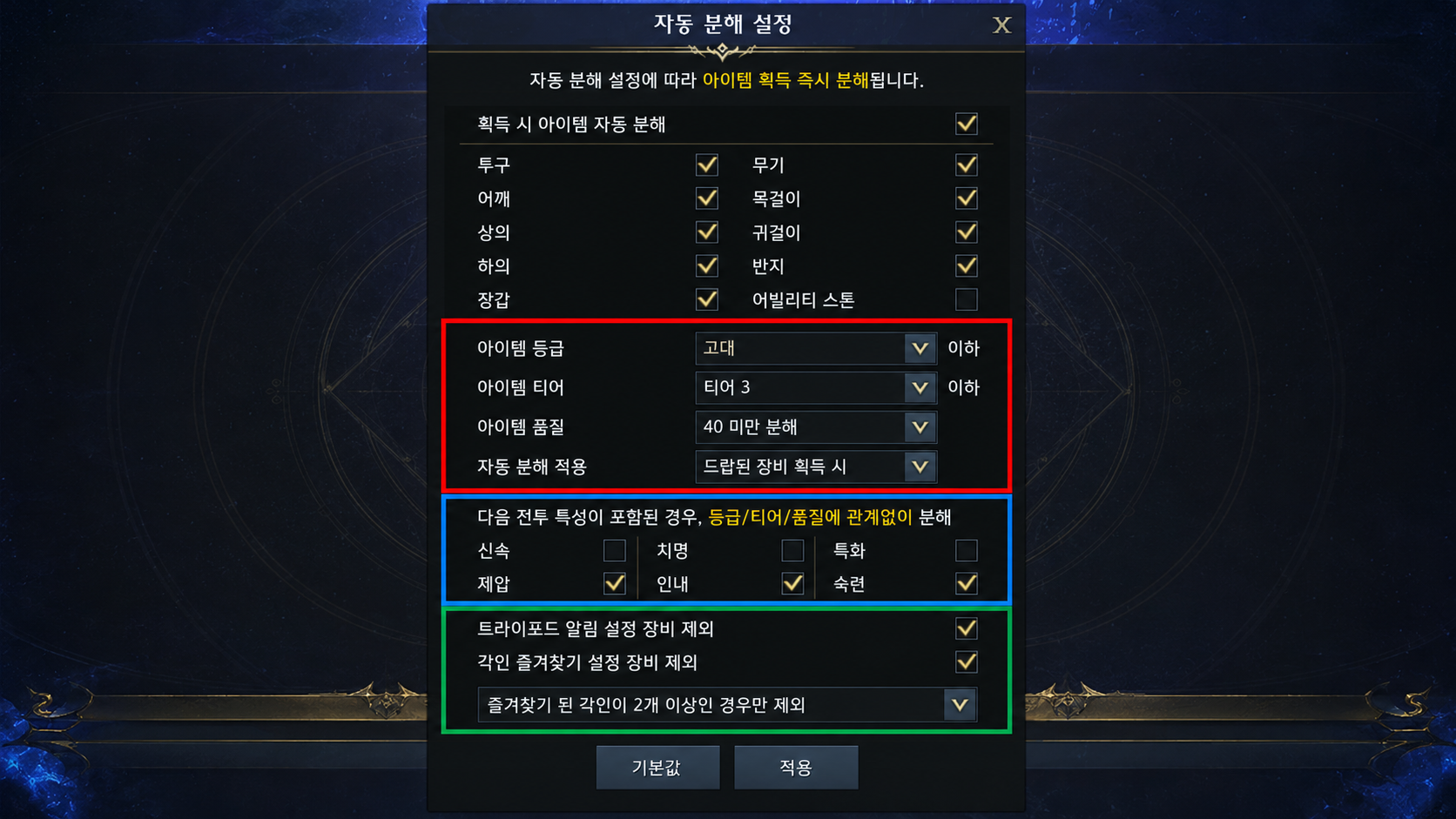
Automatic filtering can destroy useful items if broad rules or exceptions are misunderstood. Test a small batch of disposable drops and keep valuable gear locked before relying on a new filter.
-
Accessories: Judge actual T4 effects and remaining use, not only a quality-70 threshold or whether the effect contains a percent sign.
-
Necklace: Compare useful offensive or Brand/meter effects for the build. Ark Passive progression and refinement effects must be read separately rather than treated as one interchangeable stat.
-
Earrings: Compare relevant attack-power, weapon-power, and role-appropriate effects with the full setup.
-
Rings: DPS can compare Crit rate and damage; supports can compare applicable ally-enhancement effects. Actual values and current build needs matter.
-
-
Ability Stones: Set favored engravings and inspect how the filter combines grade, tier, and alert exceptions. Do not enable a blanket “below Ancient” rule unless you have verified that it preserves usable current stones.
-
What 7/7 Means: Successful nodes improve the corresponding stone effects at defined thresholds. They do not directly add Ark Passive points, and 7/7 is not a mandatory reason to discard every other useful stone.
-
-
Bracelets: Use the actual item’s tier, grade, effects, and future use. Item level 1680 does not mean every lower-level character is T3 or that every bracelet with fewer displayed effects is disposable.
-
Books and Trade Skill Tools: A learned engraving book may still have another permitted use or trading value. A lower-grade tool can also be useful while progressing. Check restrictions and value before discarding either; do not assume the source’s blanket rules are supported auto-dismantle options in every client.