

If a solo queue takes a long time in Modern Warfare 4 Warzone, first check whether Solos is listed in the Battle Royale menu. If it’s available and the search keeps running, compare your normal connection with a European route in the same mode. A shorter queue has less value if your ping rises once the match starts. The Cronen Osprey, a Season 1 assault rifle unlocked at Battle Pass Tier 16, is one weapon to try after you get in.
When there is no solo button and the search takes a long time
The North American and European playlists for the first week of Season 1 included Hajin Normal Battle Royale Solo and 4-person Squad. In the same schedule, Hajin Battle Royale Casual had a 4-person squad, and Resurgence had a separate solo. This schedule shows the first week in North America and Europe. When logging in from Korea, the modes and personnel composition that appear can be judged based on the playlist in the lobby.
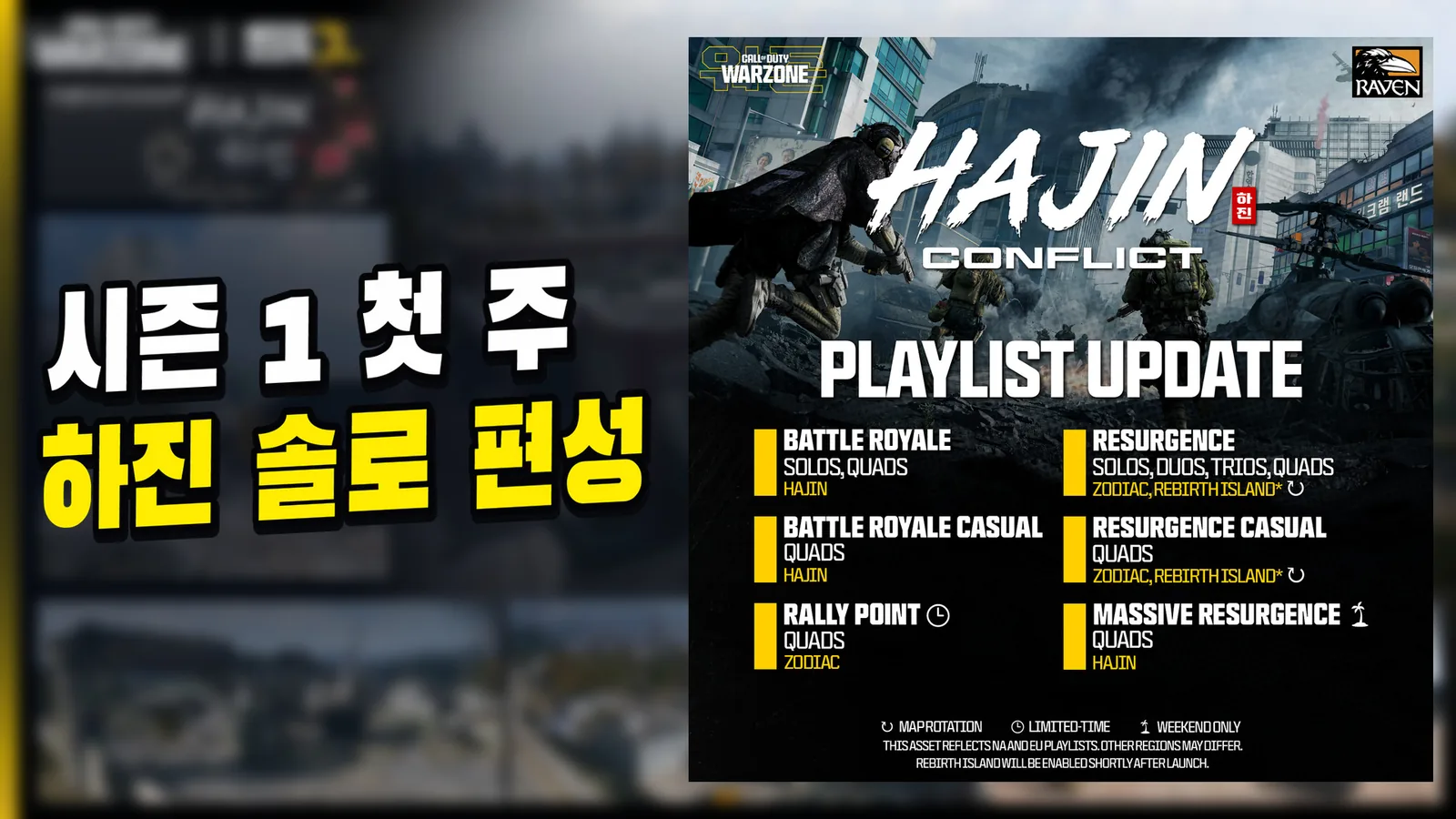
If you want a battle royale match in which all opponents enter alone, select Solo of the regular battle royale. Even if you turn off team member filling in 4-player mode, the maximum number of people on the opposing team is 4. Resurgence Solos also participate alone, but are subject to Resurgence's redeployment rules. If your goal is a regular battle royale, you need to match both the mode and number of people to be able to compare the results before and after changing the settings.
| View from the lobby | first thing to do |
|---|---|
| Casual only shows 4 people | See if the solo option is open in regular Battle Royale. |
| Regular battle royale solos are visible, but the search continues. | Record the time taken on the primary connection and compare it to other routes. |
| Connection error appears in both solo and other modes | We start by looking at common connection conditions such as online service status and wired connection. |
| The match is made, but the screen freezes during play. | Apart from the seek time, we check for delay and packet loss during the match. |
European routes look at entry times and ping during matches
In the European connection case released at the beginning of the season, the European region was selected in GearUP Booster, and then the server lock option close to Issue Fix for login and matchmaking was used. Among the candidate nodes connecting to Europe, we selected a route with a low display delay, and if a match was not found for more than 5 minutes even after turning on the lock, we proposed unlocking it or changing the node. Approximately 150ms is the value displayed when starting the match search at the time. You need to record the numbers on the search screen and the server delay measured in actual matches so you can compare them.
To really compare, change only one condition at a time. For example, if you have time to try out regular Battle Royale Solo twice on a weeknight, search once on your primary connection and then search for the same mode on a European route around the same time. Measure the time from the start of your search to entering the lobby, and once you do, see how the delay indicator fluctuates during initial movement and engagement. 5 minutes is an example of a waiting limit that can be used when comparing two settings on the same basis.
- If you can get in with a basic connection Determine whether the difference in latency is large enough to tolerate a delay. Even if you save a few minutes, you'll feel the difference in the game as each move or input slips.
- If you only entered through an overseas route Try one or two more times under the same conditions to see if the results repeat. The connection time and the number of people waiting for the playlist may also affect one success.
- If a connection error occurs on both routes Check the service status before repeating the region change. If you are using Wi-Fi, you can switch to wired and see if the error continues in the same mode.
Even if the ping on the search start screen is similar to expected, it is difficult to determine the server region just by that number. Conversely, even within the same area, delays vary depending on the route and momentary congestion. If the reason for using the overseas route is to start a solo game, the selection criteria are the time it takes to enter and whether you can play a game normally after entering.
Cronen Osprey is geared towards mid-range continuous shooting.
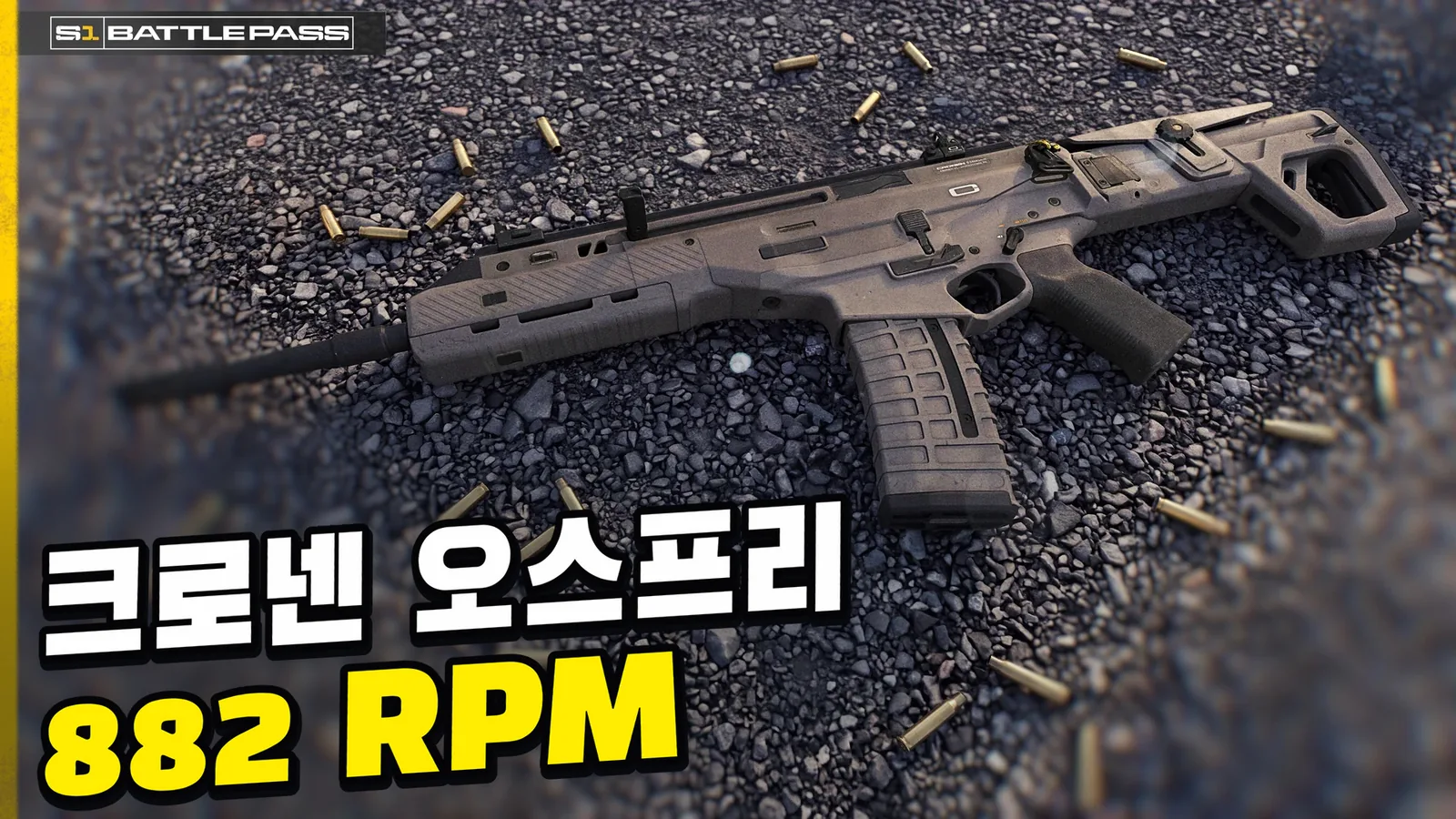
Cronen Ospreyis a 5.56mm assault rifle that unlocks as a default weapon at Season 1 Battle Pass Tier 16. The default magazine is30 rounds, and the default firing speed is 882 RPM. Converting to firing interval, it is about 68ms. Since the muzzle moves up and to the right during long bursts of continuous shooting, it is easy to see the difference by shooting the basic configuration and the configuration with the recoil control attachment alternately from the same distance at the shooting range.
Parts are selected according to the reason for deviation. If bullets spread left and right when following a moving target, the horizontal recoil values of the muzzle or underbarrel are first compared. If you find yourself frequently losing fire while emptying and reloading your standard magazine, experiment with extended magazines. The higher the magnification of the scope, the larger the target will appear, but the field of view may become narrow at close range, so choose a magnification that does not miss moving targets at the distance you usually encounter.
Conditions for 612ms and 476ms
The approximately 612ms for the upper body and 476ms for the head introduced at the beginning of the season are calculations that can be reproduced assuming a target with a combined health and armor of 300. In the nearby damage section, if you place one upper body shot at 31 and one head at 38, you will need 10 shots for the upper body and 8 shots for the head. It counts from the moment the first shot hits, so add 9 and 7 firing intervals respectively.
| Assumed hit conditions | Number of Hits Required | From the first hit to the last hit |
|---|---|---|
| Hits only the upper body, 31 damage per shot | 10 shots | About 612ms |
| Hits only the head, deals 38 damage per shot. | 8 shots | About 476ms |
This calculation does not include aiming time or flight time for the first shot. The number of bullets required will vary if the bullets are mixed in different areas or if you fight at a distance where damage is reduced. Under the same conditions, if one more shot is needed, the time increases by about 68ms, so if you aim for the head and often miss, it may be faster in actual combat to keep the continuous fire to the upper body. On November 23rd, a patch that lowered Osprey's maximum damage from 31 to 28 was applied to DMZ. When evaluating Warzone settings, we compare accuracy and ammo consumption in Warzone.
Order of receiving the first weapon in Hajin
Immediately after the start of the game, you create a state where you can move with the weapons and defense plates you picked up, and then look at the path to the weapon drop point. For example, if a box is dropped in the middle of a large parking lot, the path it can take along the side of the building is more important than the straight line distance on the map. If a nearby window or rooftop overlooks the drop zone, move towards the line of sight first and approach when you have a chance to safely reach the crate.
The principle is the same when using the store's weapon symbol. The moment you buy it at the store is separate from the moment you throw the marker and open the box. If you have cover where you will receive the weapon and have a safe direction to exit immediately after opening the box, you can reduce exposure time while changing equipment.
In the next edition, firstNormal Battle Royale solo entry time and ping during the matchPlease write it down. Once you've unlocked the Cronen Osprey, compare the stock configuration with one recoil control attachment at the same distance. If you look at the waiting time to enter and the bullets that miss in the engagement, it is easy to decide whether to change the access route or the armament first.
