

To receive free rewards from Brawl Stars Creator Coffin, choosing a Creator Team isn't enough. The selected team must achieve a common goal for the day, and I must also participate in that day's tasks. In particular, since the event team cannot be changed once confirmed, it is important to check who you want to support and the team's progress before entering the code.
Creator Coffin is a Brawl-o-ween event taking place from October 26th to 29th, 2026. Players who select the same creator complete daily changing goals together and receive in-game rewards based on the levels achieved. You can join in the middle, but it is safer to check whether you can receive rewards on the current event screen rather than assuming that you can definitely receive rewards from past dates.
How to join Creator Coffins
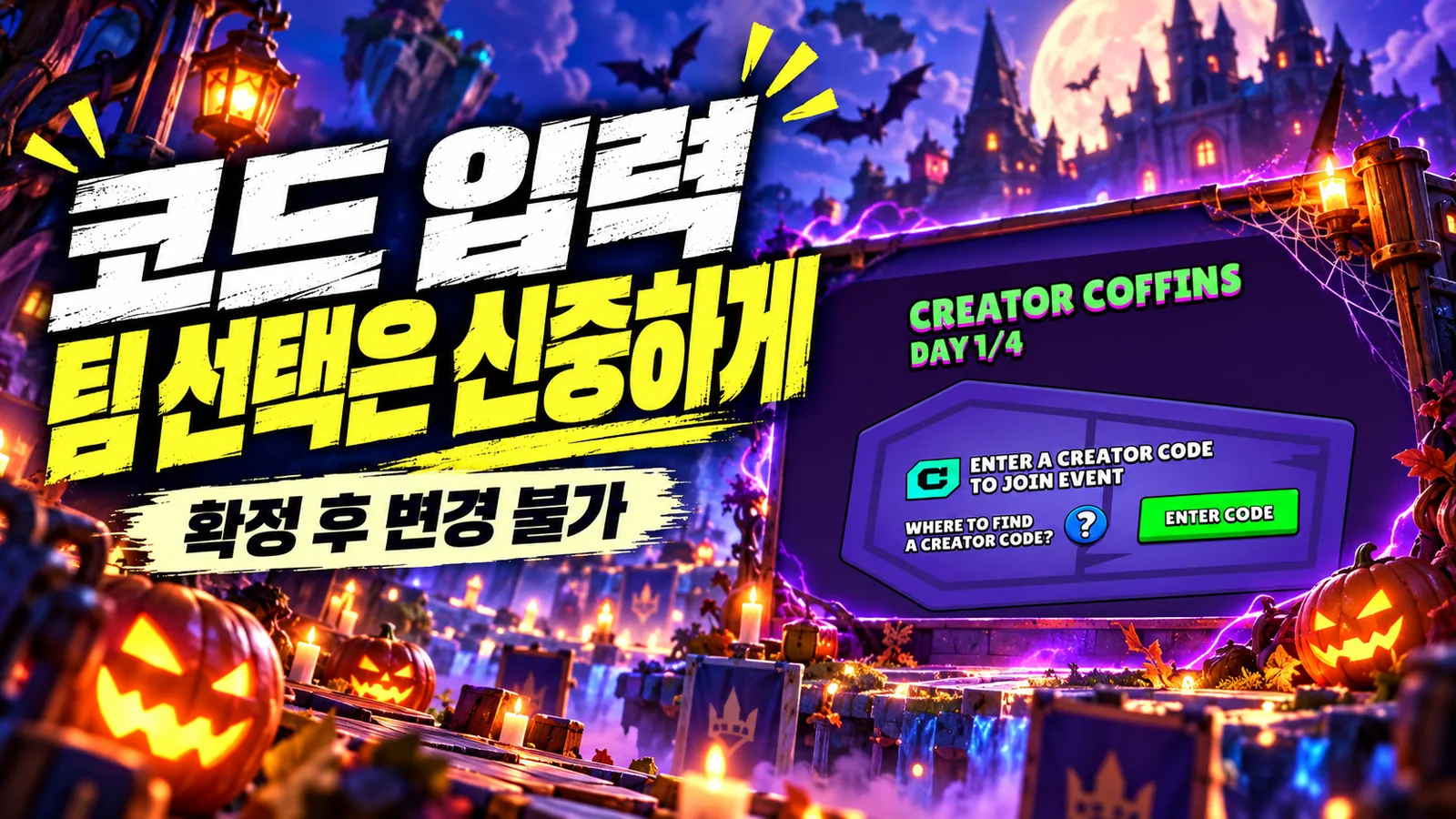
Open the #CreatorCoffins event page on the Brawl Stars home screen and select a team by entering the code of a participating creator. Codes can be found on the creator's official channel or social media. The full list of codes is not provided in-game, so make sure the code you search for actually belongs to the creator you're looking for before entering.
Once you confirm your code selection, you will belong to that team throughout the event period. Even if you modify the store's Creator Support code to change teams, the event team will not change. When you enter an event code, the same code will be applied to your store, but you can change the store code separately afterwards. It would be good to remember that the roles of the two settings are different.
After participating, check today's assignments and joint progress on the event page. If you participate in a match according to the day's goal, the contributions of players on the same team will gather together and your progress will increase. Once the goal is unlocked, you can check and receive rewards on the event screen.
How to claim free Coffin Boxes
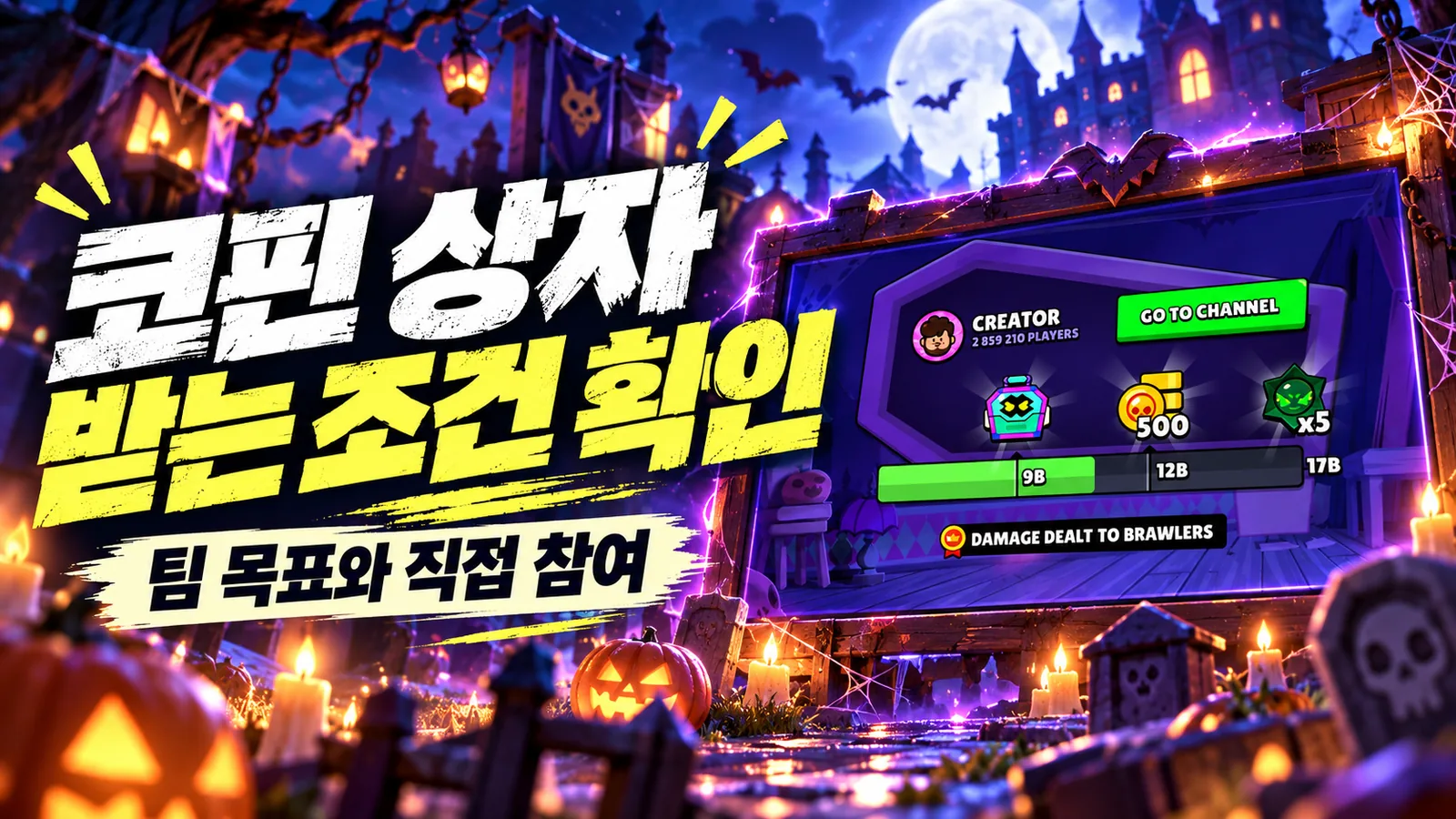
The first joint reward on the first day, October 26th, was the Coffin Box. This is followed by 500 coins and 5 Chaos Drops. However, being in the rewards list and being able to receive it in my account are two different things. You need to check whether the team achieved its goals and whether you participated in the day's tasks.
The news that a certain team has quickly achieved its goal is useful as a reference when choosing a team, but it does not guarantee that you can receive the already achieved goal or success at a later date. Apart from the official notice that you can join late if you did not participate from the beginning, it is recommended to check the conditions for retroactive participation and receipt of past tasks directly on the game screen.
Just because it's free doesn't mean rewards will automatically arrive in your mailbox. If you think about it in that order: entering code, contributing to an assignment, meeting team goals, and confirming receipt, you'll avoid missing anything. Please use the event page within the game, not an external site that asks you to enter a password in exchange for gems.
Daily rewards and what to check each day
There are three levels of communal rewards available every day. The following list is a public schedule, please check the in-game event screen first for the final details and current achievement status.
| Date | Rewards for each stage revealed |
|---|---|
| October 26 | 1 Coffin Box, 500 Coins, 5 Chaos Drops |
| October 27 | Spray, 500 Power Points, 3,000 Bling |
| October 28 | 1 Mythic Starr Drop, 500 Power Points, 2 Pumpkin Chests |
| October 29 | Coffin Box Exclusive Pin, 500 Credits, 1 Legendary Starr Drop |
The three stages are not a method of choosing one of the options, but rewards that are opened sequentially according to the stage the team has achieved. If you achieve all three daily goals and meet the participation conditions, you can receive three rewards. Conversely, if the desired reward is in the third stage, completing the first goal is not enough.
New assignments open daily at 8:00 AM UTC. It is 5 PM in KST (UTC+9). If you check the assignment content and team progress first every time you log in, it's easy to avoid situations where you can't contribute to the day's goal even though you played as usual. As assignment content may vary by day, it is better not to think that what you did the previous day is still valid today.
The value of rewards also varies depending on account status. Players who need to unlock new Brawlers may look at Credits, while those who are behind on training may look at Coins and Power Points. Pins and sprays are not progression currency, but they are meaningful to players who collect event cosmetic items. Since you can't guarantee that the desired item will come from a specific box, it's better to distinguish between confirmed rewards and random rewards.
Choosing a creator team
As the event code is fixed, the first criterion to look at is the creator you want to support and the participation of their community. If you have a favorite creator, the process of completing the goal together can be part of the fun of the event. Conversely, if securing rewards is a priority, it is better to check the team's current progress and common goals before making a decision.
However, goal achievement cannot be confirmed based on the number of subscribers or known size. This is because the number of players actually participating and the amount remaining until the goal are both important. If the event is already running, check the creator's published progress before choosing a team, but don't assume you'll progress at the same rate at a later date.
When you find and enter the code, check the spelling and what is displayed again before pressing the OK button. This brief confirmation is important, as an event team can only be selected once. The same goes for whichever team you join, your daily participation is required.
Creator prizes and in-game rewards are separate
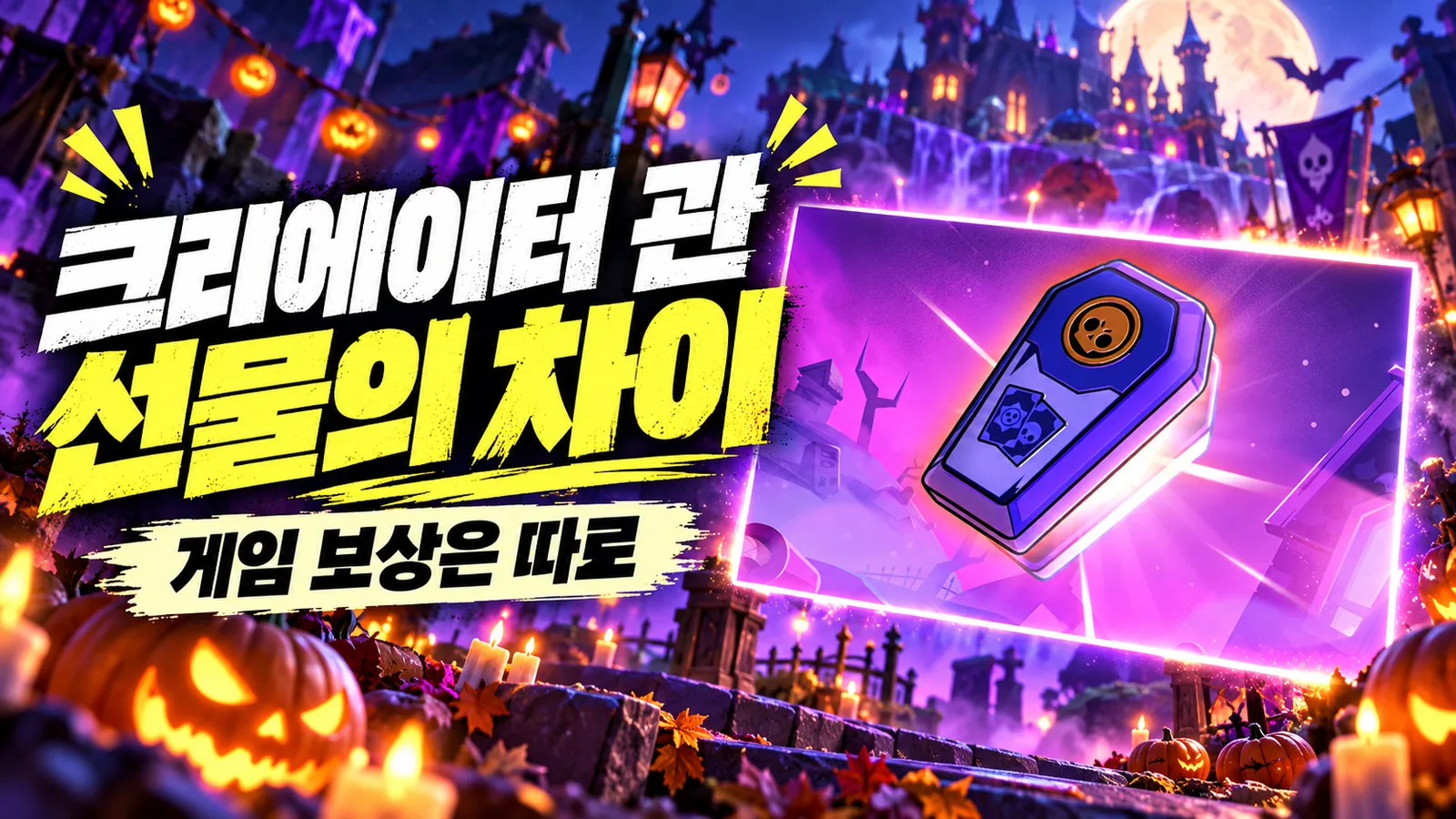
In addition to the in-game Coffin Box, this event features an actual coffin delivered to the creator. Four sealed coffins were delivered to participating creators, and each coffin contained a physical gift for the creator. When the community achieves the goal for that day, the coffin will be released to the public.
What the player receives are separate common rewards within the game. Just because the creator's physical coffin is opened does not mean that the physical gifts inside will be given to the player. Since coffins with similar names appear in two places, you can reduce confusion by distinguishing whether they are rewards displayed on the game screen or actual gifts sent to the creator.
What to check if your rewards are missing
First, check whether the team is properly selected on the event page. Next, you can take a look at what today's goal is, whether you contributed to the task, and whether the team has reached the desired rewards level. If you only registered the code but did not participate in the game that day, you will not meet the conditions for receiving joint rewards according to the official information.
If the goal has not yet been opened, make sure you have not confused your team's progress with another team's achievement news. Collective progress is accumulated for each selected Creator Community. If you have problems receiving it even though you meet the conditions, it is best to check the in-game notice and customer support information.
The most important thing to pay attention to in this event is not to quickly insert code, but to watch the team before confirming and check the assignments directly every day after participating. By selecting based on remaining rewards and current progress, you can reduce the gap between expectations and actual receipt conditions.
